Black
Engage in explosive first-person gunplay with destructible environments and cinematic action in this cult-classic shooter.
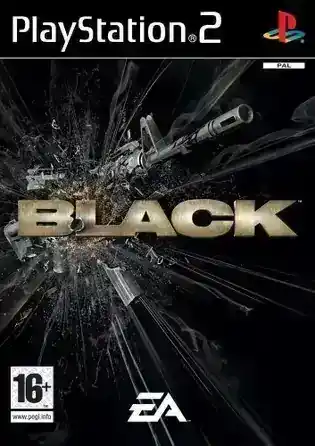
Black (2006) is one of the most technically ambitious shooters ever released on the PlayStation 2. Developed by Criterion Games, it pushed the console’s fill rate, particle systems, and audio design far beyond what most developers attempted. That ambition is exactly why Black looks stunning today on modern hardware — and also why it can be difficult to emulate correctly.
This guide is the definitive Black PS2 emulation resource. It combines hands-on PCSX2 testing, performance benchmarks, visual-fix walkthroughs, and a full gameplay strategy guide — from first checkpoint to Black Ops difficulty. Whether you’re playing on a high-end PC or a Steam Deck, this article is designed to give you stable performance, clean visuals, and mastery of the game itself.
Performance Report
| Tested Hardware | Emulator | Avg FPS / Stability | Difficulty | Notes |
|---|---|---|---|---|
| Ryzen 5 5600X + RTX 3060 | PCSX2 Nightly 2.x | 60 FPS (Locked) | Medium | Vulkan required; Align Sprite fixes vertical lines |
| Ryzen 7 5800X + RTX 3070 | PCSX2 Nightly 2.x | 60 FPS @ 4K | Moderate | Runs clean at 6× Native with proper HW hacks |
| Steam Deck OLED | PCSX2 (EmuDeck) | 60 FPS (minor dips) | Medium | Vulkan + 2×–3× Native recommended |
Emulator Setup & Optimization
Because Black was a technical marvel on the PS2, it is surprisingly demanding to emulate correctly. The game relies heavily on alpha textures for smoke, dust, and explosions. If you boot the Black PS2 ISO with default settings in PCSX2, you will likely encounter the infamous "gridline" or "vertical line" glitch when upscaling, or massive slowdowns during firefights.
Recommended PCSX2 Version
- Use PCSX2 Nightly (v2.0+)
- Older 1.6 builds struggle with depth-buffer effects and heavy alpha textures
Renderer Selection
In my testing across multiple builds, the Vulkan renderer is the absolute gold standard for Black. It handles the particle density much better than OpenGL and avoids the dark texture crushing often seen with DirectX 11/12.
- Internal Resolution: You can safely push this to 3x Native (~1080p) or 4x Native (~1440p) on mid-range hardware. However, Black uses a distinct "depth of field" blur during reloads. At 4K, this effect can sometimes look grainy if you don't enable specific texture filtering.
- Anisotropic Filtering: Set this to 16x. The textures in Black are high quality for the era, and this makes oblique angles on the concrete barriers and weaponry look crisp.
Progressive Scan (Native Game Feature)
At the PS2 boot logo:
Hold Triangle + X → Enable Progressive Scan
This improves clarity before any emulator upscaling occurs.
Fixing Visual Glitches (Vertical Lines, Ghosting, Skybox)
Vertical Lines / Grid Pattern (Most Common Issue)
Cause: Sprite misalignment when upscaling alpha textures.
Fix (PCSX2 Nightly):
- Settings → Graphics → Rendering
- Enable Manual Hardware Renderer Fixes
- Enable Align Sprite
- If needed, set Half-Pixel Offset → Normal or Special (Texture)
Ghosting / Double Image Blur
Cause: Depth-of-field blur layer rendering at native resolution.
Fix:
- Enable Half-Pixel Offset (Special – Texture)
Black Sky / Skybox Corruption
Cause: Depth buffer emulation conflict.
Fix:
- Enable Disable Depth Emulation
Shadow Flicker
Enable Auto Flush (GPU-heavy but accurate)
Story & World Overview
You play as Sergeant First Class Jack Kellar, a CIA black-ops operative being interrogated about a four-day operation in Eastern Europe. The narrative unfolds through live-action FMV flashbacks — a stylistic choice that later inspired Call of Duty: Black Ops.
The game takes place in linear combat zones rather than open worlds. Every environment exists for one purpose: destruction.
Key Locations:
- Veblensk City Streets
- Treneska Border Crossing
- Nazran Foundry
- Tivliz Asylum
- Spetriniv Gulag
Deep-Dive Mechanics & Controls
The combat system is the spine of the experience. You're not just button-mashing; you're managing space, timing, enemy types, and resource meters in a way that feels tactical under the blood.
Gun Design & Audio
Criterion treated weapons like car engines. Guns are intentionally loud, heavy, and cinematic. Reload animations are long and blur the background — you are vulnerable while reloading.
Destructible Environments
- Micro-destruction: walls, pillars, glass
- Macro-destruction: towers, fuel trucks, reinforced doors
Cover is temporary. Use destruction offensively.
Controls (PS2 Default)
- R1: Fire
- L1: Aim Down Sights
- Square: Reload
- Circle: Melee
- D-Pad: Fire modes / suppressor toggle
Expert Tips & Early-Game Strategy
Headshots are mandatory, health packs matter, and the M203 is your friend.
Headshots
Enemies absorb body shots. When you score a headshot, you will often hear a metallic ping and see the helmet fly off — that's your confirmation.
Secrets, Unlockables & Codes
Unlockables include Hard, Black Ops, and Silver Weapons based on completion. There is also an early M249 SAW code.
Unlockable Difficulties
- Hard: Available immediately
- Black Ops: Finish Hard difficulty
Silver Weapons (Infinite Ammo)
Complete the game on Normal or Hard to unlock Silver Weapons for that difficulty.
Early M249 SAW Code
5SQQ-STHA-ZFFV-7XEV
Level Master Guide (Hardest Sections)
Treneska Border Crossing – The Bridge
Snipe RPG units first and advance only after helicopter scripts trigger.
Tivliz Asylum – Shower Room
Use shotguns, camp corners, and pre-throw grenades into spawn doors.
Spetriniv Gulag – Final Room
Constant movement, suppress gantries, shoot riot guards’ feet then headshot.
Troubleshooting & FAQ
Running the Black PS2 ISO comes with a unique set of headaches. Here are the solutions to the most common problems players face when emulating this title.
Why is the game slow during explosions?
Use Vulkan, enable MTVU, lower internal resolution.
Why do I see vertical lines when upscaling?
Enable Align Sprite and Half-Pixel Offset.
Best renderer for Black?
Vulkan, Nightly builds only.
Conclusion
Black is a technical monument to the PlayStation 2 era. With a properly configured emulator, it transforms into a sharp, brutal shooter that still outclasses many modern FPS titles in sound design and environmental impact.
With the settings, fixes, and strategies in this guide, you can experience Black exactly as Criterion intended — only smoother, sharper, and more stable than ever before.