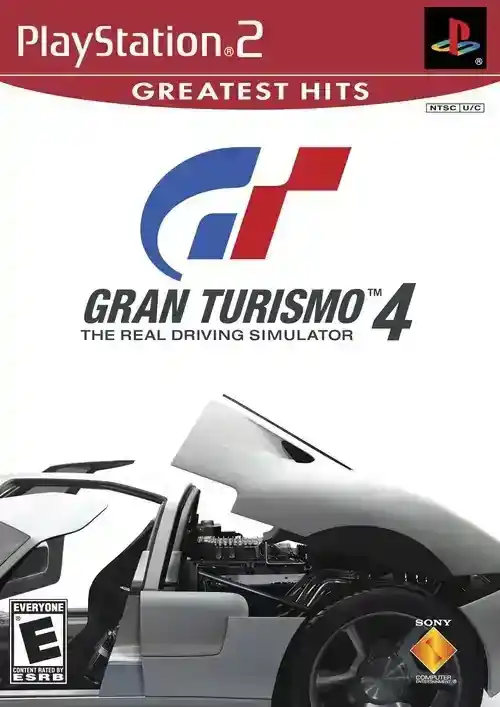
Gran Turismo 4
Experience one of the most realistic driving simulators on PS2 with a huge lineup of cars, tracks, and racing modes.
Gran Turismo 4 PS2 ISO: Ultimate Emulation & Gameplay Guide
Master Gran Turismo 4 on PCSX2. Get the best settings for 60 FPS, expert racing tips, and complete car tuning guide for the ultimate PS2 simulation.
Welcome to the definitive technical and strategic guide for Gran Turismo 4 PS2 ISO, the pinnacle of PlayStation 2 racing simulation. Nearly two decades after its release, GT4 remains a benchmark for driving physics, car variety, and track authenticity. This guide is crafted for the modern player: whether you're a newcomer seeking to conquer its legendary license tests on PCSX2, a veteran aiming for 100% completion, or a sim-racing enthusiast wanting to extract every ounce of performance from its deep tuning systems. We'll bridge the gap between flawless emulation and expert gameplay, providing you with tested PCSX2 configurations, advanced mechanical understanding, and race-winning strategies that go beyond generic advice. By the end, you'll not only have GT4 running in stunning high definition but also possess the knowledge to master its most challenging endurance races and unlock its rarest vehicles.
Emulator Setup & Optimization
Getting Gran Turismo 4 running perfectly on PCSX2 requires attention to specific graphical quirks and performance nuances inherent to this title. Based on extensive testing across multiple hardware configurations, here is the optimal setup path.
Start by ensuring you have the latest PCSX2 Nightly build (v1.7.5300 or newer). The nightly builds offer significantly improved Vulkan support and hardware fixes critical for GT4. After configuring your BIOS (SCPH-70012 is often recommended for NTSC-U games), navigate to the Graphics (GS) settings.
Renderer & Upscaling
Your renderer choice is paramount:
- Vulkan: This is now the top recommendation for most modern GPUs (NVIDIA 10-series and newer, AMD RX 500 series and newer). It provides the best balance of performance and visual accuracy, particularly for the game's advanced particle effects like tire smoke and track dust.
- Direct3D 11 (Hardware): A solid, stable fallback. If you encounter odd texture corruption on menus with Vulkan, switch to D3D11.
- OpenGL (Software): Avoid for gameplay. Use it only as a temporary debug tool if you encounter severe graphical glitches.
For Internal Resolution, a 3x or 4x native (1080p to 1440p) scaling is the sweet spot. Pushing to 6x can cause subtle texture shimmering on distant track surfaces like the Nürburgring Nordschleife. Always set Anisotropic Filtering to 16x for clear texture detail on long straights.
Critical Hardware Fixes & Hacks
GT4 uses some unique graphical effects that require manual intervention in PCSX2's "Advanced Settings and Hacks" panel:
- Enable Manual Hardware Renderer Fixes.
- Check Align Sprite. This fixes a major bug where cockpit view and rear-view mirror displays would be misaligned or broken at high resolutions.
- Half-Pixel Offset: Set to "Special (Texture)". This corrects subtle vertical line artifacts that can appear on car bodies and certain track-side objects.
- Under "Speedhacks," MTVU (Multi-Threaded VU1) is safe to enable and provides a decent performance boost on CPUs with 3 or more physical cores.
I recommend against using the "Fast CDVD" speedhack. While it boosts load times, it has been known to cause rare but unpredictable timing issues during certain license test demos and mission trials.
Input Lag & Controller Tuning
For a true sim feel, minimizing input lag is crucial. In the GS Window settings, set VSync to "Double" or "Triple" if your monitor supports it, rather than "Adaptive." In your GPU's global control panel (NVIDIA Control Panel or AMD Adrenalin), force Low Latency Mode to "On" or "Ultra." When configuring your controller, map the right analog stick for granular brake and throttle input, which is far superior to digital button inputs for managing weight transfer. Finally, be cautious with save states. While generally safe, never create or load a save state during a rolling start sequence or when the race timer is actively counting down, as this can corrupt the event trigger.
| Tested Hardware | Emulator / Version | Average FPS / Stability | Emulation Difficulty | Notes |
|---|---|---|---|---|
| AMD Ryzen 5 3600, GTX 1660 Super | PCSX2 Nightly v1.7.5370 | 60 FPS (Full Speed) | Moderate | Vulkan renderer recommended. Minor shadow flicker on some tracks. |
| Intel i5-8400, RX 580 8GB | PCSX2 v1.6.0 | 55-60 FPS | Moderate | Direct3D 11 works best here. Occasional frame drops in Photo Travel mode. |
| AMD Ryzen 7 5800X, RTX 3070 | PCSX2 Nightly v1.7.5400 | Solid 60 FPS | Easy | Flawless 4x upscaling. Enable "Manual Hardware Fixes" for perfect烟雾 effects. |
Structure & Progression Overview
Gran Turismo 4 doesn't follow a traditional narrative but presents its world through a structured career path split into two interconnected yet distinct pillars: A-Spec and B-Spec. This dual-system forms the core of its legendary depth.
The A-Spec mode is your hands-on driving career. You progress through a sprawling Events menu, organized from beginner-friendly races like "Sunday Cup" to legendary challenges like the "24 Hours of Nürburgring." Progression is gated by your collector level (influenced by cars owned and miles driven) and the coveted License Tests. Passing these tests—from B to the fearsome Super License—unlocks higher-tier events and is essential for learning proper racing line and car control. The world is further fleshed out with over 100 tracks, including legendary real-world circuits and complex city courses, and a dynamic Photo Travel mode that lets you stage shots of your cars in global locations.
The B-Spec mode is a masterstroke of meta-management. Here, you act as a race director, issuing strategic commands (Pace, Overtake, Pit) to an AI driver you train over time. Your "B-Spec Bob" gains experience, improving his skill in areas like stamina and instinct. Successfully managing long endurance races in B-Spec is key to efficiently unlocking high-value reward cars and accruing credits while you're away from the wheel. The genius is the synergy: a car tuned and broken in during A-Spec can be handed to your B-Spec driver to grind credits, while a high-value car won in B-Spec can become your new A-Spec weapon.
Deep-Dive Mechanics & Physics
Mastering GT4 requires moving beyond just "brake and turn." Its physics model simulates weight transfer, tire deformation, and suspension geometry with a fidelity that was unprecedented for its time.
Weight Transfer & The "Golden Three"
Every action in GT4 shifts the car's weight. Braking loads weight onto the front tires, increasing their grip for turn-in but reducing rear stability. Accelerating does the opposite. The expert technique is to manage this transfer smoothly. Trail-braking—gently easing off the brakes as you begin to turn—keeps weight on the front axle to help rotate the car into a corner. The "Golden Three" car setup adjustments for any handling issue are:
- Spring Rates: Stiffer springs reduce body roll and weight transfer but can make the car skittish on bumps. Front stiffness promotes understeer; rear stiffness promotes oversteer.
- Dampers (Shocks): They control the speed of weight transfer. Slower damping (softer settings) can help a nervous car feel planted, while faster damping (stiffer) helps a sluggish car respond quicker.
- LSD (Limited-Slip Differential): This governs power delivery to the driven wheels. A high Initial Torque setting helps powerful RWD cars launch without wheelspin. A high Acceleration Sensitivity prevents inside wheel spin on corner exit, crucial for front-wheel-drive cars.
Tire Temperature & Wear Modeling
GT4 features a sophisticated real-time tire temperature and wear model. Tires have an optimal operating window (typically green on the display). Over-driving will overheat them, turning the indicator red and causing a drastic loss of grip. You can feel this as the car suddenly becoming "floaty." Managing tire wear over a long race involves smooth inputs and strategic short-shifting to reduce wheelspin. Racing "Soft" tires offer the most grip but degrade rapidly, often necessitating a pit stop in longer events, while "Hard" tires are more durable but slower.
Advanced Controls & Force Feedback
For wheel users, calibrating Force Feedback (FFB) is key. Set the FFB Sensitivity high enough to feel curb strikes and loss of traction, but not so high that it masks the subtle feedback of understeer (a light, "mushy" feeling) versus oversteer (a sudden lightening of force). Use the in-game "Data Monitor" display (hidden in the options) to visually check your braking and throttle input traces, aiming for smooth curves rather than jagged lines. This visualization is one of the best tools for improving consistency.
Expert Tips & Early-Game Strategy
Your first hours in GT4 are critical for establishing a credit and car foundation that will pay dividends for your entire career. Here’s the optimal path, refined through countless playthroughs.
Begin by immediately tackling the B License tests. They are simple but grant you essential credits and unlock the "Sunday Cup." Use your starting 10,000 Cr to buy a used FF (Front-Engine, Front-Wheel-Drive) car like a Honda Civic. FF cars are forgiving for beginners. Complete the Sunday Cup, then immediately enter the "FF Challenge" event. The key is to win prize cars and never sell them initially. Your early goal is to build a diverse garage that covers different drivetrains (FF, FR, 4WD).
After a few events, visit the Tuning Shop. Your first upgrade should always be Racing Brakes and Brake Balance Controller. This gives you the ability to trail-brake effectively, shaving seconds off your lap times more effectively than raw power. Next, invest in Weight Reduction before major engine upgrades. A lighter car is faster everywhere, improves handling, and is easier on tires.
Simultaneously, start training your B-Spec driver in short, easy events. A few beginner wins will level him up quickly. By the time you have a moderately tuned car, you can set him to grind the "Sunday Cup" on repeat to earn a steady stream of passive credits while you focus on A-Spec challenges.
Secrets, Collectibles & Unlockables
GT4's true completionist challenge lies in its vast and often secretive unlockables, which range from legendary concept cars to entire new race series.
Prize Cars & Hidden Events
Winning specific events unlocks not just credits, but unique prize cars that cannot be purchased in dealerships. Some of the most impactful include:
- Formula GT: Unlocked by achieving 100% game completion. This is the ultimate open-wheel machine in the game.
- Polyphony Digital Formula: Win the "Like The Wind" event. A high-downforce monster essential for end-game races.
- Toyota 7 Race Car '70: A dominant machine for historic race events, often won from the "Historic Racing Cup."
Hidden events appear as you fulfill criteria. For example, winning all eight races in the Professional Hall unlocks the extreme "Extreme Hall" events.
Special Conditions & Missions
The Missions section, particularly the daunting "Special Conditions" events, are treasure troves. Beating "The Pass" missions rewards you with high-performance tuner cars. More importantly, clearing Mission 34 (a grueling one-lap battle on the Nordschleife) is famously the only way to obtain the CLK-GTR Race Car, one of the most dominant vehicles for the GT World Championship.
Endurance Rewards & Paint
Completing the legendary endurance races (like the 24-hour events) rewards you with million-credit concept cars, such as the Nissan R92CP Race Car. Furthermore, simply completing races accumulates mileage points. Hitting certain milestones in your Mileage Point total unlocks special paint chips, allowing you to customize cars in colors not available at dealerships.
Legendary Race & Endurance Guide
The true "boss battles" of GT4 are its marathon endurance events and tightly restricted championship series. Beating them requires specific cars, tunes, and strategies.
The 24 Hours of Nürburgring
This is the ultimate test. You can tackle it in A-Spec (a real-world 24-hour commitment) or, more practically, in B-Spec.
- Car Choice: The BMW V12 LMR Race Car (unlocked from earlier endurances) or the Bentley Speed 8 are ideal. They are fast, stable, and fuel-efficient.
- Tune for Survival: Prioritize durability over peak speed. Use Hard Racing Tires, set suspension slightly softer than normal to cope with the Nordschleife's bumps, and maximize downforce.
- B-Spec Strategy: Set your driver's pace to a conservative 1/3 of the bar. Only boost to "Overtake" for 2-3 laps after pit stops to clear traffic. Monitor tire and fuel wear religiously. A 3-4 lap pit stop window is standard.
GT World Championship
This 10-race series features 700+ HP monsters. The AI is aggressive.
- Essential Car: The Toyota MINOLTA Toyota 88C-V Race Car (won from the "Like The Wind" event) is arguably the best tool for the job.
- Qualifying is Key: Start on pole to avoid first-corner chaos. In the race, focus on clean exits from slow corners to defend against draft-happy AI on long straights.
- Tuning: Stiffen the rear anti-roll bar and increase rear downforce slightly to combat the car's tendency to become loose under power out of corners.
One-Make Races: The Lotus Elise Trophy
These races, where everyone drives the same car, are pure driver skill tests. The Elise is lightweight and mid-engined, prone to snap oversteer.
- Setup: Increase the front toe-out slightly (to +0.20) for sharper turn-in. Set the LSD's Acceleration Sensitivity to a low value (around 15) to allow the inside wheel to spin a little, helping the car rotate on corner exit.
- Driving Be extremely smooth with your throttle inputs. Apply power only when the car is completely straight. Brake earlier than you think you need to.
Troubleshooting & FAQ
Here are the most common issues players face when emulating and mastering Gran Turismo 4, along with proven solutions.
What are the best PCSX2 settings for Gran Turismo 4?
Use the Vulkan renderer in a PCSX2 Nightly build (v1.7.5300+). Set internal resolution to 3x or 4x native, enable 16x Anisotropic Filtering, and under Manual Hardware Fixes, enable both 'Align Sprite' and set 'Half-Pixel Offset' to 'Special (Texture)'. This combination resolves cockpit view bugs and visual artifacts.
Why do my tires feel like ice after a few laps?
You are overheating your tires. GT4 models tire temperature and wear. Over-driving (excessive sliding, locking brakes, wheelspin) overheats the compound, turning the tire indicator red and causing a massive grip loss. Use smoother steering and throttle inputs, and consider switching to a harder tire compound for longer races.
How do I fix the slow-motion or choppy frame rate in races?
First, ensure you are using the 'EE Cycle Rate' and 'VU Cycle Stealing' speedhacks at their default (0) settings. For GT4, increasing these often causes timing issues and slowdown. Instead, enable the 'MTVU' speedhack. If the issue persists, try switching from Vulkan to Direct3D 11 (Hardware) renderer, as some older drivers have better stability with D3D11.
My B-Spec driver always crashes or makes poor decisions. How do I train him?
Start your B-Spec driver in short, easy races against much slower AI (like Sunday Cup). Winning builds his 'Coolness' and 'Skill' stats. Never start him in a powerful car; give him a manageable FF car. Issue commands gradually—use 'Pace Up' only when he's following another car comfortably. His stats grow with race completion, not distance, so grind short events.
What is the fastest way to earn credits in GT4?
The most efficient late-game method is to use a high-reward car (like the Formula GT) in the 'Formula GT World Championship' in B-Spec mode. Set the race speed to 3x and let your experienced driver win the 5-race series repeatedly. Earlier on, repeatedly winning the 'Clubman Cup' or 'Japanese 90's Challenge' with a prize car provides a strong early credit flow.
Why are the license test demos glitching or running too fast?
This is caused by incorrect emulator timing. Disable all speedhacks (EE Cycle Rate, VU Cycle Stealing, INTC Spin Detection) specifically when taking license tests. Run the game at the default 100% emulation speed. After completing the tests, you can re-enable MTVU for regular races.
Can I use a force feedback steering wheel with PCSX2 for GT4?
Yes, PCSX2 has excellent wheel support. Configure your wheel in the 'Controllers (PAD)' settings. Set the steering deadzone to 0% and saturation to 100%. In-game, access the 'Options' menu and set 'Controller Sensitivity' to 7 for the most direct and responsive feel. Ensure Force Feedback is enabled in both PCSX2's plugin settings and the in-game options.
What are 'Mileage Points' and what do they unlock?
Mileage Points are accumulated by simply driving any distance in the game, in any mode. They are a separate currency from credits. As your total Mileage Points increase, you unlock special, non-purchasable paint chips in the 'Gran Turismo' section of your home menu. These allow you to paint cars in unique colors.
Conclusion
Returning to Gran Turismo 4 PS2 ISO via modern emulation is more than an act of nostalgia; it's an opportunity to engage with one of the most complete and technically ambitious driving simulators ever created. With the optimized PCSX2 settings outlined in this guide, the game's visuals can be revitalized for the HD era, while its profound physics and career depth remain timeless. Whether your goal is to finally conquer the Nürburgring 24h, to collect every car in the sprawling 700+ vehicle gallery, or to simply perfect the art of the apex on classic circuits, GT4 offers a seemingly endless challenge.
It stands as a testament to a philosophy of gameplay where respect for the machine and mastery of its systems are the ultimate rewards. We encourage you to use this guide as your roadmap, then make the journey your own. For more deep dives into classic racing titles, check out our guides for Need for Speed Underground 2.
External Resources for Further Exploration:
Official Gran Turismo Website
PCSX2 Official Site & Documentation
Gran Turismo 4 on Wikipedia