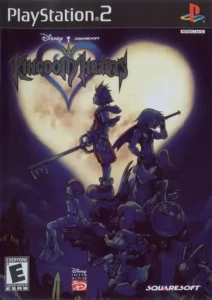
Kingdom Hearts
Join Sora, Donald, and Goofy in an epic action-adventure across Disney worlds.
Finding the correct Kingdom Hearts PS2 ROM Information & Details is only the first step; booting the raw ISO on default emulator settings usually results in a blurry, interlaced mess with significant input lag. If you are playing this 2002 classic on modern hardware, you likely aren't looking for the jagged native resolution experience—you want the "Remastered" look without the price tag. However, simply cranking the internal resolution to 4K often breaks the game’s physics engine, specifically shortening Sora’s jump height during critical platforming segments like Deep Jungle. This guide bridges the gap between the raw PS2 file and a stable, high-fidelity experience on the latest PCSX2 v2.0 Nightly builds.
Technical Specifications & File Integrity
The "Remastered" Setup: Configuring PCSX2 v2.0
The original Kingdom Hearts suffers heavily from interlacing artifacts (the "shaking" screen effect). Modern builds of PCSX2 (specifically the Qt interface versions released post-2024) have automated much of the "GameDB" fixes, but manual intervention is still required for visual clarity.
1. Graphics & Rendering (Vulkan is King)
DirectX 11 was the standard for years, but Vulkan now offers superior shader compilation times, reducing the "micro-stutters" that occur when you first cast spells like Thunder or Blizzard.
- Internal Resolution: Set to 6x Native (4K 2160p) if you have a GPU equivalent to a GTX 1070 or higher. For integrated graphics (Steam Deck/Rog Ally), stick to 3x Native (1080p).
- Texture Filtering: Force Bilinear (PS2). Forcing "Trilinear" can sometimes cause sprite seams on HUD elements like the HP gauge.
- Interlacing: Set to Automatic. If the screen jitters during pause menus, toggle the "De-interlacing" hotkey (F5).
Pro Tip: Kingdom Hearts uses "dueling" transparency layers. If you see ghosting around Sora or weird lines in the skybox, enable "Merge Sprite" in the Advanced Graphics settings.
2. The Widescreen Matrix
The game renders natively at 4:3. To play in 16:9 without stretching Sora into a pancake, you need to enable "Enable Widescreen Patches" in the System menu.
- Render Aspect Ratio: Set to 16:9.
- FMV Aspect Ratio: Keep this at 4:3. The pre-rendered CGI cutscenes (like the opening "Simple and Clean" video) are hardcoded and will look distorted if stretched.
The 60FPS Trap: Physics & Gravity Bugs
This is the most critical modification. The standard PS2 ISO runs at 30FPS. Using a "60FPS Cheat" code transforms the fluidity of combat, making parrying for Tech Points significantly easier, but it comes with a severe cost: Physics calculation errors.
The Gravity Issue
At 60FPS, the game engine calculates gravity twice as often as intended. This results in:
- Shorter Jumps: You may fail to reach ledges in the Deep Jungle vine sliding segment or the Hollow Bastion lift puzzles.
- Faster Enemy Projectiles: Attacks from bosses like Riku-Ansem track faster than the original AI intended.
The Solution: Hotkey Toggling
Do not apply the 60FPS patch permanently. Instead, use PCSX2's cheat manager to map the 60FPS code to a toggle.
- Combat: Enable 60FPS. The fluidity helps with timing guards against the Ice Titan.
- Platforming: Disable 60FPS (revert to 30) whenever you need to make a precision jump or interact with the Trinity Marks.
Gameplay Optimization: The Tech Point Economy
Once your emulation is stable, you can exploit the game mechanics more effectively than on native hardware due to reduced input lag (if using a wired controller).
Early Game Leveling: The Destiny Islands Loop
Before leaving the first island, engage Tidus, Wakka, and Selphie. The goal isn't just to beat them, but to farm Tech Points.
- Wakka's Ball: A precise slash just as the blitzball hits Sora grants +1 or +2 Tech Points. With the emulator's "Slow Motion" toggle (Tab key), you can learn the exact frame data for this parry.
- Tidus's Flip Attack: Attack exactly when his body is horizontal in mid-air.
Resource Management: The Mystery Goo Bottleneck
Synthesis is the true endgame grind. The Mystery Goo dropped by White Mushrooms is notorious for bad RNG.
- Emulator Advantage: Use "Save States" before initiating the mini-game with a White Mushroom. If the Mushroom requests a spell you don't have (e.g., it shivers for Blizzard when you only have Fire), reload the state. Note that RNG in KH1 often updates on frame advance; you may need to pause/unpause or move Sora slightly before engaging to alter the "Random Seed."
Advanced Meta: The Randomizer Scene
In 2026, the standard way to replay Kingdom Hearts is via the KH1 Randomizer. This mod shuffles item locations, abilities, and even boss encounters.
If you are setting up the Randomizer, ensure your ISO checksum matches the "USA" version (SLUS-20370). The Japanese "Final Mix" version uses a different memory address table. You will need the Lua Backend enabled in PCSX2 settings to allow the seed generator to inject logic into the game in real-time. This breathes new life into the game, forcing you to utilize items like Dumbo or Bambi which are usually ignored in a vanilla playthrough.