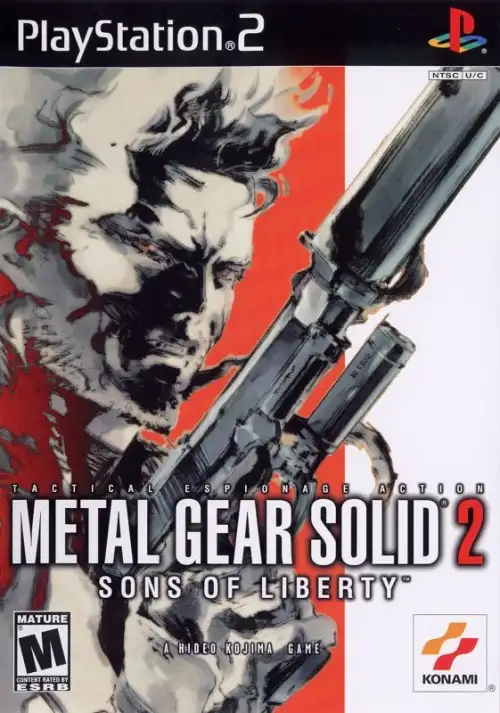
Metal Gear Solid 2: Sons of Liberty
Step into the shadows with Solid Snake and Raiden in this stealth-action masterpiece known for its gripping story and tactical gameplay.
Table of Contents
- Quick Specifications
- Why Emulate MGS2 in 2026
- Hardware Requirements & Benchmarks
- PCSX2 Setup & Optimal Settings
- Graphics Configuration for 4K
- Controller Setup & Pressure Sensitivity
- Common Issues & Fixes
- Core Gameplay Mechanics
- Advanced Stealth Strategies
- Boss Encounter Guide
- Secrets & Unlockables
- Frequently Asked Questions
Why Emulate MGS2 in 2026
Metal Gear Solid 2: Sons of Liberty transforms dramatically when emulated on modern hardware, achieving resolutions up to 4K and framerates that far exceed the original PlayStation 2's capabilities. The PCSX2 emulator leverages contemporary GPUs to enhance texture clarity, eliminate aliasing, and apply post-processing effects that were impossible on the 2001 hardware. Konami Computer Entertainment Japan's masterpiece now runs at native 1620p to 2160p resolution with anisotropic filtering and shader enhancements, revealing environmental details that were previously obscured by the PS2's 512x448 interlaced output.
The tactical espionage experience benefits enormously from increased resolution scaling, making distant enemy detection more reliable and improving readability of in-game text during codec sequences. Modern emulation also preserves this stealth-action classic as original PS2 hardware degrades, ensuring Solid Snake and Raiden's Big Shell mission remains accessible for new generations of players.
Hardware Requirements & Benchmarks
Metal Gear Solid 2: Sons of Liberty is both CPU and GPU intensive, requiring balanced hardware to maintain consistent performance. The game's complex AI routines, real-time physics calculations, and high polygon count for character models create substantial processing demands during both gameplay and pre-rendered cutscenes.
Minimum Hardware (720p/Native)
- CPU: Intel Core i5-4000 series / AMD Ryzen 3 1200 (4 cores minimum)
- GPU: NVIDIA GTX 750 Ti / AMD RX 560 (2GB VRAM)
- RAM: 8GB DDR4
- Storage: 5GB free space (SSD recommended for faster loading)
- Expected Performance: Native to 2x resolution, occasional slowdowns during complex cutscenes
Recommended Hardware (1080p-1440p/60FPS)
- CPU: Intel Core i5-10400 / AMD Ryzen 5 3600 (6 cores)
- GPU: NVIDIA GTX 1650 Super / RTX 3050 / AMD RX 5600 XT (4GB VRAM)
- RAM: 16GB DDR4-3200
- Storage: SSD with 10GB free space
- Expected Performance: 3x-5x native resolution (1080p-1620p) with stable 60FPS during gameplay, minor drops to 45-50FPS in demanding cutscenes
High-End Hardware (4K/60FPS)
- CPU: Intel Core i7-11700K / AMD Ryzen 9 5900X or better
- GPU: NVIDIA RTX 3060 Ti / RTX 4070 Super / AMD RX 6800 (8GB+ VRAM)
- RAM: 32GB DDR4-3600 or DDR5
- Storage: NVMe SSD with 15GB free space
- Expected Performance: 6x native resolution (4K) with mostly stable performance, occasional drops during specific boss fights (Fortune bridge scene)
Insert Screenshot Here: PCSX2 Performance Metrics showing 4K resolution at 60FPS during Tanker chapter gameplay
Alt Text: Metal Gear Solid 2 Sons of Liberty PS2 emulation running at 4K showing performance overlay with GPU and CPU usage
PCSX2 Setup & Optimal Settings
PCSX2 version 1.7.0 or newer is mandatory for Metal Gear Solid 2: Sons of Liberty, as earlier versions contain game-breaking bugs affecting thermal goggles rendering and camera photo missions. The latest nightly builds resolve critical issues including codec screen warping, transparency rendering on water surfaces, and motion blur effects during cinematic sequences.
Initial PCSX2 Configuration
To configure PCSX2 for Metal Gear Solid 2: Sons of Liberty, set the renderer to Vulkan for optimal performance on modern GPUs. Vulkan provides superior frame pacing compared to Direct3D 11 and OpenGL, reducing microstutter during camera transitions and codec conversations. Direct3D 12 serves as an alternative for NVIDIA RTX 30-series and newer cards, offering comparable performance with potentially better shader compilation.
- BIOS Selection
- Use USA v2.00 or v2.30 BIOS files for NTSC-U region ISOs, ensuring maximum compatibility with pressure-sensitive button inputs
- Enable EE/IOP Recompilers
- Activating Emotion Engine and Input/Output Processor recompilers dramatically improves CPU efficiency, preventing slowdowns during enemy AI calculations
- Speedhack Configuration
- Disable all speedhacks initially, as Metal Gear Solid 2 exhibits intro FMV freezing when speedhacks are enabled. Re-enable conservative MTVU (Multi-Threaded VU1) after confirming stable playback
Audio Configuration
Set audio output to Stereo (2.0) rather than Dolby Digital 5.1, as surround sound configuration causes audio dropout during opening cutscenes when Solid Snake boards the tanker. The stereo configuration maintains full compatibility with all codec conversations and radio sequences while preventing synchronization issues between dialogue and character lip movements.
Graphics Configuration for 4K
Metal Gear Solid 2: Sons of Liberty's visual fidelity scales exceptionally well with modern rendering techniques, though specific settings prevent graphical glitches that compromise gameplay. The hardware renderer exposes texture detail and lighting effects that were imperceptible at the PS2's native resolution, particularly noticeable during rain effects in the Big Shell exterior sections.
Renderer Settings (Vulkan/Direct3D 12)
Post-Processing Effects
Shade Boost enhancement amplifies the cinematic atmosphere of Hideo Kojima's direction without oversaturating the color palette. Configure Brightness to 55, Contrast to 47, and Saturation to 60 for balanced enhancement that preserves the game's intentional muted color grading during stealth segments. Excessive brightness undermines shadow-based stealth mechanics by revealing Solid Snake's position in areas designed for concealment.
Game-Specific Fixes
Enable "Use Software Renderer for FMVs" in Game Properties > Game Fixes to eliminate colored lines appearing around pre-rendered cutscene edges when using upscaled internal resolution. This hybrid rendering approach maintains visual quality during gameplay while preventing artifacts during story sequences. Software rendering automatically activates only during FMV playback, preventing performance degradation during interactive sections.
Insert Screenshot Here: PCSX2 Graphics Settings panel showing recommended configuration for Metal Gear Solid 2
Alt Text: Metal Gear Solid 2 PCSX2 graphics settings interface displaying Vulkan renderer and 5x native resolution configuration
Controller Setup & Pressure Sensitivity
Metal Gear Solid 2: Sons of Liberty requires pressure-sensitive button inputs for essential gameplay mechanics including weapon aiming stability and interrogation sequences. The PlayStation 2's DualShock 2 controller featured analog face buttons that measured how firmly players pressed Square, Circle, Triangle, and X buttons, directly affecting Snake and Raiden's actions.
Controller Compatibility
- Ideal Solution: PlayStation 2 DualShock 2 controller connected via USB adapter provides authentic pressure-sensitive functionality
- Alternative: PlayStation 3 DualShock 3 controller (via USB or Bluetooth) retains pressure-sensitive face buttons with full compatibility
- Workaround: Xbox 360/Xbox One controllers require sensitivity adjustments in PCSX2 controller configuration, simulating pressure through hold duration
- Limited Functionality: PlayStation 4 DualShock 4 and PlayStation 5 DualSense controllers lack pressure-sensitive face buttons, compromising certain gameplay elements
PCSX2 Controller Configuration
Navigate to Settings > Controllers > Port 1 and select your connected controller from the device dropdown. Map directional inputs, face buttons, shoulder triggers, and analog sticks according to your preferred layout. Increase sensitivity sliders for L2 and R2 triggers to 1.30-1.50 range, ensuring smooth weapon aiming transitions when holding up guards or enemies during interrogations.
Pressure-sensitive inputs directly affect CQC (Close Quarters Combat) effectiveness, weapon steadiness during first-person aiming, and the ability to non-lethally subdue enemies without alerting nearby guards. Without proper pressure sensitivity, players cannot execute "soft" trigger presses required for peeking around corners or lowering weapons during hostage situations.
Common Issues & Fixes
Intro FMV Freezing
Problem: The opening cinematic freezes approximately halfway through when Solid Snake approaches the George Washington Bridge.
Solution: Disable all speedhacks in Settings > Emulation > Speed Hacks before launching the game. After successfully viewing the intro, re-enable MTVU (Multi-Threaded VU1) for improved performance during gameplay. Verify Dolby Digital 5.1 audio is disabled, as surround sound configuration exacerbates FMV synchronization issues.
Cutscene Audio Dropout
Problem: Audio disappears during the cutscene when Solid Snake boards the tanker or during codec conversations.
Solution: Switch audio output from Dolby Digital 5.1 to Stereo (2.0) in Settings > Audio. The 5.1 surround configuration triggers audio desynchronization during specific pre-rendered sequences, while stereo maintains consistent playback throughout the entire campaign.
Thermal Goggles Not Working
Problem: Equipping thermal goggles displays only blank scanline textures instead of heat signatures, preventing progress during the tanker hold section.
Solution: Update PCSX2 to version 1.7.0 or newer nightly build. Older versions contain shader bugs that break thermal goggles rendering in hardware mode. This issue is completely resolved in current releases.
Dark Skin Textures (Ocelot/Fatman)
Problem: Revolver Ocelot and Fatman appear with abnormally darkened skin compared to original PS2 hardware.
Solution: Set Blending Unit Accuracy to "High" in Graphics Settings. This increases GPU load but correctly renders character skin tones. Alternatively, temporarily switch to Software renderer during affected cutscenes if performance degradation is unacceptable.
Performance Drops During Boss Fights
Problem: Frame rate drops to 15-45 FPS during specific boss encounters, particularly the Fortune bridge confrontation.
Solution: Temporarily reduce internal resolution from 6x to 3x-4x native during demanding sequences. Disable post-processing effects like Shade Boost for these sections. Metal Gear Solid 2 is GPU-intensive during complex particle effects and large outdoor environments with multiple active NPCs.
Codec Screen Warping
Problem: Character models (especially Rose) exhibit stretching or warping during codec communication screens when FMVs play simultaneously.
Solution: No complete workaround exists for this minor visual glitch. It does not affect gameplay and occurs only during specific codec calls where background FMVs are displayed. The distortion becomes less noticeable at higher internal resolutions.
Core Gameplay Mechanics
Metal Gear Solid 2: Sons of Liberty introduced revolutionary stealth mechanics that fundamentally changed tactical espionage gameplay, including first-person aiming, hanging from ledges, and lockers for concealment. Konami Computer Entertainment Japan refined the formula from the original Metal Gear Solid, creating more sophisticated enemy AI that investigates disturbances, checks unconscious allies, and coordinates radio alerts.
Stealth Fundamentals
Remaining undetected requires understanding guard patrol patterns, utilizing environmental cover, and managing noise generation. Guards respond to auditory cues including footsteps, weapon fire, knocked objects, and even the sound of magazines dropping from firearms. Crawling produces minimal noise regardless of surface type, making it the safest movement method when proximity to enemies is uncertain.
- Crouch-walking: Reduces noise by approximately 70% compared to running; essential for traversing metal grates without detection
- Wall-hugging: Allows corner peeking in first-person view to survey upcoming areas without exposing Snake or Raiden's position
- Shadow positioning: Guards have reduced detection radius when the player character occupies shadowed areas, particularly effective during night sequences
- Locker hiding: Provides complete concealment from guards unless they specifically open the locker door; breathing must be controlled to prevent noise
CQC System
Close Quarters Combat enables non-lethal enemy neutralization without alerting nearby guards when executed properly. Approach enemies from behind while unarmed, then press and hold the CQC button to grab them. Once restrained, players can interrogate for information, throw enemies to knock them unconscious, or execute a chokehold for silent incapacitation. Throwing enemies does not produce audible alerts to other guards despite the physical impact.
First-Person Aiming
Holding L2 or the equivalent aiming button enters first-person perspective, allowing precise weapon fire at the cost of mobility. Weapon stability depends on pressure-sensitive trigger control—gentle trigger pressure maintains aim without firing, while full pressure discharges the weapon. The M9 tranquilizer pistol becomes the primary non-lethal tool, though tranquilized enemies require 10-15 seconds to lose consciousness and will alert others if they call out before succumbing.
Insert Screenshot Here: First-person aiming perspective showing guard patrol pattern through M9 tranquilizer scope
Alt Text: Metal Gear Solid 2 PS2 first-person view with M9 tranquilizer pistol aimed at guard during stealth sequence
Advanced Stealth Strategies
Mastering Metal Gear Solid 2: Sons of Liberty's stealth systems requires exploiting enemy AI patterns and environmental interaction mechanics that extend beyond basic concealment. The game rewards patient observation over aggressive movement, particularly during Big Shell infiltration where open areas expose players to multiple guard sightlines simultaneously.
Enemy Manipulation Techniques
- Magazine distraction: Dropping empty magazines creates audio lures that draw guards toward specific locations, creating patrol gaps for safe passage
- Tranquilizer feints: Firing tranquilizer darts near (not at) guards from long range triggers investigation behavior without raising alerts
- Locker knocking: Guards investigating locker sounds can be CQC-grabbed the moment they open the door, instantly neutralizing threats
- Corpse dragging: Moving unconscious or dead enemies into concealed areas prevents discovery and subsequent alert phases
Alert Phase Management
When detected, Metal Gear Solid 2 initiates a three-tier alert system: Alert Phase (active enemy engagement), Evasion Phase (enemies searching predetermined locations), and Caution Phase (heightened guard awareness before returning to normal). Breaking line of sight and reaching a different area triggers Evasion Phase faster than attempting to eliminate all alerted enemies. Lockers and under-desk spaces become critical hiding spots during Evasion, as guards systematically search open areas before checking enclosed spaces.
Camouflage Index Optimization
Though not explicitly displayed like in Metal Gear Solid 3, environmental matching affects detection speed in Sons of Liberty. Dark areas naturally reduce guard awareness radius, while well-lit spaces accelerate visual detection. Crawling in shadows provides significantly better concealment than standing in the same location, even when completely motionless.
Boss Encounter Guide
Olga Gurlukovich (Tanker)
This initial boss fight tests first-person aiming proficiency and tactical positioning. Olga takes cover behind tarp-covered cargo, emerging periodically to fire her handgun. Tranquilize her exposed head or arms while avoiding her return fire. Chaff grenades disable her night vision goggles, forcing her to remain visible longer during attack windows. A known emulation issue causes Olga's mouth animation to freeze during combat dialogue, though this visual glitch doesn't affect fight mechanics.
Fatman (Big Shell)
Fatman roller-skates throughout the Strut E heliport while planting C4 explosives, requiring constant movement to avoid both his grenade launcher and timed bombs. Shoot exposed bombs to detonate them safely away from your position, then fire at Fatman during his reloading animations. Note that Fatman's skin appears darker than intended on hardware renderers unless Blending Accuracy is set to High. The fight demands aggressive positioning to prevent explosive encirclement.
Vamp (Big Shell)
Vamp demonstrates supernatural agility, running on water surfaces and walls while throwing knives with pinpoint accuracy. Maintain distance while firing at his head, as body shots deal reduced damage due to his regenerative abilities. When Vamp dives underwater, watch for ripple patterns indicating his attack trajectory. RGB grenades temporarily stun him, creating extended damage windows.
Metal Gear Ray Squadron
The climactic confrontation against multiple Metal Gear Ray units tests resource management and evasion skills. Equip Stinger missiles and target the Ray units' radomes (sensor arrays) for maximum damage. Prioritize destroying units preparing missile salvos, indicated by glowing weapon pods. This sequence may experience performance drops to 45-50 FPS on mid-range hardware due to multiple large-scale models rendering simultaneously.
Secrets & Unlockables
Dog Tags Collection
Holding up enemies at gunpoint and aiming in first-person mode prompts them to drop dog tags containing their names and vitals. Collecting all dog tags on a specific difficulty unlocks bonus items for subsequent playthroughs, including infinite ammo bandanas and stealth camouflage. Guards must be held at gunpoint until they physically shake, indicating willingness to surrender the tag.
Alternative Weapon Locations
Metal Gear Solid 2 hides advanced weaponry in obscure locations that diligent explorers can discover early. The PSG-1 sniper rifle, normally acquired later in the campaign, can be found in Strut F warehouse level 1 by exploring elevated catwalks. The RGB grenades appear in multiple hidden lockers throughout the Big Shell facility, providing tactical advantages during boss encounters.
Easter Eggs
- Shooting specific objects (posters, bottles, fire extinguishers) reveals developer commentary and humorous dialogue from support characters
- Opening all lockers in certain areas triggers unique codec conversations
- Photographs taken during the Tanker chapter can be saved to memory card and viewed later, with specific photo combinations unlocking hidden artwork
Frequently Asked Questions
What is the best PCSX2 version for Metal Gear Solid 2?
PCSX2 version 1.7.0 or newer nightly builds provide optimal compatibility with Metal Gear Solid 2: Sons of Liberty, resolving critical bugs affecting thermal goggles, camera missions, and motion blur rendering. Earlier versions like 0.9.8 and 1.1.0 contain game-breaking issues that prevent campaign progress. Download the latest nightly build from the official PCSX2 website for the best experience.
Can I play Metal Gear Solid 2 without pressure-sensitive controls?
Yes, but with significant gameplay compromises. Xbox 360 and Xbox One controllers require manual sensitivity adjustments in PCSX2's controller configuration to simulate pressure-sensitive inputs through hold duration. This workaround enables progression through holdups and interrogations, though it lacks the precise analog control of authentic PlayStation 2 DualShock 2 controllers.
Why do cutscenes lag more than gameplay?
Metal Gear Solid 2's pre-rendered cutscenes utilize more complex particle effects, higher polygon character models, and dynamic lighting than real-time gameplay sections. The Fortune bridge confrontation scene particularly stresses GPUs due to simultaneous rain effects, multiple character models, and ocean surface rendering. Temporarily reducing internal resolution to 3x-4x native during cutscenes maintains smoother performance.
How do I fix the dark skin bug on Ocelot and Fatman?
Navigate to Graphics Settings and set Blending Unit Accuracy to "High". This corrects the shader calculation error causing abnormally darkened skin textures on these characters. Blending Accuracy at "High" increases GPU load by approximately 10-15%, which remains manageable on mid-range and high-end graphics cards.
What's the recommended internal resolution for balanced performance?
5x native resolution (approximately 1620p) provides excellent visual enhancement while maintaining 60 FPS on mid-range hardware like GTX 1650 Super or RX 5600 XT. This setting sharpens textures and character models substantially compared to native PS2 resolution without introducing the severe performance penalties of 6x (4K) scaling.
Does the game support widescreen?
Yes, Metal Gear Solid 2: Sons of Liberty includes native widescreen support that activates automatically when PCSX2 is configured for 16:9 aspect ratio. Enable widescreen patches in Game Properties > Patches to remove black bars and extend the field of view horizontally.
Can I use save states during boss fights?
Yes, PCSX2 supports save states (F1 to save, F3 to load) that capture exact game state including position, inventory, and health. Save states provide convenience during challenging sections, though they bypass the game's intended checkpoint system. Use save states judiciously to preserve the original difficulty balance.
Why does the codec screen look distorted?
Codec screen warping, particularly affecting Rose's character model during FMV-backed conversations, is a known minor issue without a complete fix. The distortion becomes less noticeable at higher internal resolutions and does not impact gameplay functionality. This graphical anomaly is specific to emulation and doesn't occur on original PS2 hardware.