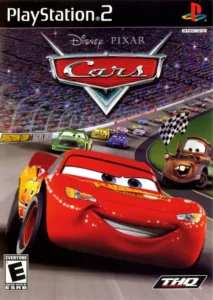
Disney-Pixar Cars
Join Lightning McQueen and friends on high-speed adventures through Radiator Springs and beyond in this family-friendly racing game.
Master Disney-Pixar Cars on PS2 with expert strategies for sandbox exploration, powerslide mechanics, Piston Cup domination, and PCSX2 optimization for 2026 gameplay.
- Why Revisit Cars in 2026
- PCSX2 Configuration & Performance Notes
- Core Gameplay Systems & Progression Flow
- Powerslide Mechanics & Racing Technique
- Radiator Springs Exploration Strategy
- Character Unlocks & Collectible Routing
- Piston Cup Racing Tactics
- Performance Issues & Common Fixes
- Taking the Checkered Flag
Why Revisit Cars in 2026
Disney-Pixar Cars holds a unique position in the PS2 racing library as one of the few family-friendly titles that successfully merged open-world sandbox design with structured racing events. Unlike linear kart racers of its era, Cars featured a fully explorable Radiator Springs hub where players could discover mini-games, collect items, and trigger events organically rather than through menu selections. The game's arcade-leaning physics prioritize accessibility while still rewarding skill through its powerslide system—a mechanic that feels more responsive than many players remember once properly mastered.
Modern PCSX2 builds in 2026 have matured significantly, allowing this title to run at enhanced resolutions with stable performance on mid-range hardware. The visual upgrade transforms the game's vibrant desert landscapes and character models, bringing them closer to the original film's aesthetic quality. For players who grew up with the movie or simply appreciate well-designed arcade racers with exploration hooks, Cars offers a nostalgia trip that holds up mechanically better than many licensed games from the same period.
PCSX2 Configuration & Performance Notes
Disney-Pixar Cars generally performs well on PCSX2 but exhibits specific behavior that requires targeted settings adjustments. Community reports indicate the game can struggle with stuttering during open-world transitions despite seemingly adequate hardware headroom—even systems that handle more demanding PS2 titles like Burnout 3 without issue.
Recommended Settings for Stable Performance
For optimal results on PCSX2 2.0 or newer builds, start with these configurations tailored to Cars' engine characteristics:
- Internal Resolution: 2x native is the safe ceiling for most GPUs; pushing to 3x can trigger micro-stutters during sandbox loading zones
- Renderer: Vulkan backend provides the most consistent frame pacing for this title, particularly in Radiator Springs' open areas
- Blending Accuracy: Medium setting prevents visual artifacts on character reflections without the performance cost of High
- Audio Backend: Cubeb typically handles the game's soundtrack and voice clips cleanly; SDLaudio may introduce slight sync delays during cutscenes
A critical fix for intermittent performance drops involves disabling Steam Deck or system-level FPS limiters if running on portable devices—Cars' engine can conflict with external frame caps, causing paradoxical slowdowns. Additionally, users on systems with SMT (simultaneous multithreading) may benefit from disabling odd-numbered CPU threads through PowerTools or equivalent utilities, as this adjustment has resolved frame drops in similarly structured PS2 open-world titles.
Core Gameplay Systems & Progression Flow
Cars structures its campaign around a hybrid progression model where players must balance story-driven races with optional exploration activities to unlock content. The game opens players into Radiator Springs' sandbox environment after brief tutorial events, establishing the core loop: complete races and challenges to earn points, spend points to unlock new areas and abilities, repeat with increased difficulty tiers.
Point Economy & Unlock Progression
The point system serves as the game's primary currency, earned through:
- Race victories (scaled by difficulty setting and position)
- Mini-game completion bonuses
- Environmental collectibles scattered across Radiator Springs
- Time trial medals on Piston Cup circuits
Points unlock three critical categories: additional playable characters, new racing circuits, and gameplay mechanics like the powerslide ability. The game gates the powerslide—arguably the most impactful technique—behind early progression, forcing players to complete initial races with basic acceleration and emergency brake controls before gaining access to drift mechanics.
Difficulty Scaling & Race Types
Cars offers multiple difficulty presets that significantly alter AI aggression and rubber-banding intensity. Higher difficulties don't simply make opponents faster; they increase the frequency of hostile behaviors like ramming and blocking maneuvers during Piston Cup events. The game features distinct race categories:
- Piston Cup Races: Traditional circuit racing on left-turn ovals with pit stop management requirements
- Road Races: Point-to-point or multi-checkpoint sprints through Radiator Springs' environment
- Sheriff's Pursuits: Chase sequences requiring precise driving to evade or catch targets
- Mini-Game Challenges: Tractor tipping, cone collection, and other score-attack diversions
Pit stop mechanics during longer Piston Cup events require manual button-mashing inputs to refuel, replace tires, and clean windshields—a unique system that adds tension to endurance races.
Powerslide Mechanics & Racing Technique
The powerslide system in Disney-Pixar Cars operates differently than drift mechanics in contemporary kart racers, utilizing a two-button input that requires timing rather than sustained pressure. Once unlocked, powersliding becomes essential for maintaining speed through Radiator Springs' winding roads and Piston Cup track corners.
Powerslide Execution & Optimization
Initiating a powerslide requires holding R1 while steering into a turn. The technique allows sharper angle changes without significant speed loss compared to traditional braking, but improper timing causes the car to overcorrect or lose traction entirely. Optimal powerslide usage follows this pattern:
- Approach the turn at near-maximum speed
- Begin steering input slightly before the apex
- Tap R1 briefly rather than holding—the game rewards quick pressure pulses
- Counter-steer minimally to maintain the drift line
- Release R1 and accelerate out as the turn opens
Advanced players combine powerslides with the emergency brake (Circle button) for extremely tight hairpins, executing a quick tap of Circle followed immediately by R1 to snap the car's orientation. This combo technique proves invaluable during Sheriff's Pursuit events where sharp 180-degree reversals are necessary.
Boost Management & Speed Preservation
The boost mechanic (R2 button once unlocked) provides temporary acceleration bursts with limited charges. Strategic boost usage separates competent racers from dominant ones—wasting boosts on straightaways yields minimal advantage compared to deploying them at corner exits where maintaining momentum compounds over subsequent sections. The game includes a "super fast start" technique accessible through timing—revving at precisely the right engine note during countdown grants an immediate boost-equivalent launch.
Radiator Springs Exploration Strategy
Radiator Springs functions as both a hub world and a fully explorable sandbox with hidden collectibles, shortcut discoveries, and ambient activities. Unlike many licensed games that feature token open areas, Cars' implementation rewards thorough exploration with meaningful unlocks and point bonuses.
Navigation & Area Familiarization
The town layout centers on Route 66 as the main artery, with branching paths leading to:
- Willy's Butte (off-road practice area with jumps and obstacles)
- Tailfin Pass (mountain roads connecting to circuit entrances)
- Ornament Valley (desert zone with collectible clusters)
- The Cozy Cone Motel and surrounding business district
Each zone contains green flag markers indicating race start positions and mini-game triggers. The game doesn't provide a minimap, requiring players to build spatial awareness through repeated traversal—however, this design choice enhances immersion and makes discoveries feel more organic.
Collectible Categories & Routing Efficiency
Points can be farmed through systematic collectible gathering between races. Efficient routing involves:
- Sweep Radiator Springs' main street first (highest density of collectibles in smallest area)
- Progress outward in concentric circles to Willy's Butte and Ornament Valley
- Use the two-wheel flip mechanic (jumping and rotating mid-air) to access elevated collection points
- Return to town periodically to spend points on unlocks that may open new areas
The jump mechanic itself serves dual purposes: performing tricks for style points and reaching otherwise inaccessible ledges. Mastering jump timing allows players to chain multiple flips for bonus multipliers, though overuse risks landing failures that waste time.
Character Unlocks & Collectible Routing
Disney-Pixar Cars gates several playable characters behind milestone achievements that require focused grinding strategies. These unlockables aren't merely cosmetic—different characters have subtle handling variations that impact race performance.
Secret Character Unlock Requirements
The most time-intensive unlocks include:
- Hollister: Complete 100 Piston Cup races (approximately 8-10 hours of focused racing)
- Lee Jr.: Finish 500 road races (requires extensive sandbox racing repetition)
- Mack: Unlock all content on two separate save profiles (completionist requirement)
- Vince: Complete all Sheriff's Hot Pursuit events
- Sonny: Achieve 300 MPH (requires specific boost timing and optimal racing lines)
The 300 MPH requirement for Sonny deserves special attention—reaching this speed threshold demands combining boost activation with downhill sections on specific Piston Cup tracks while maintaining perfect racing lines to preserve momentum.
Cheat Code Alternatives
For players prioritizing story completion over organic progression, Disney-Pixar Cars includes several unlock codes that bypass grinding:
- YAYCARS: Unlocks all playable characters immediately
- MATTL66 or IF900HP: Unlocks all tracks and mini-games
- VROOOOM: Enables unlimited boost for arcade-style racing
These codes are entered through the in-game cheat menu under Options, with effects applied instantly upon confirmation. Using codes doesn't disable achievements or corrupt saves, making them viable for second playthroughs or time-constrained sessions.
Piston Cup Racing Tactics
Piston Cup events represent the game's most structured competitive challenges, featuring oval circuit designs with left-turn emphasis and mandatory pit stop management. Success requires understanding both racing line theory and the game's specific rubber-banding AI behavior.
Optimal Racing Lines & Position Strategy
On Piston Cup ovals, the ideal racing line follows classic oval theory: enter high, apex low, exit high. However, Disney-Pixar Cars' arcade physics allow more aggressive inside positioning than simulation titles. Key tactical considerations include:
- Early race positioning: The AI exhibits strongest rubber-banding in laps 1-3, making early passes difficult to maintain
- Mid-race consistency: Laps 4-7 reward smooth, mistake-free driving over aggressive overtaking attempts
- Late-race aggression: Final two laps reduce rubber-banding effects, allowing skilled players to break away
The game's collision physics favor lighter contact over heavy bumping—players can "lean" on opponents through corners without triggering the dramatic spinouts that occur from perpendicular impacts.
Pit Stop Optimization
Longer Piston Cup races (7+ laps) require at least one pit stop for fuel, tires, and windshield cleaning. Pit timing significantly impacts race outcomes:
- Entering the pit automatically reduces speed to safe entry velocity, costing approximately 8-10 seconds total
- Button-mashing sequences determine service speed—faster inputs complete pit tasks quicker
- Optimal pit windows occur when the race leader pits, minimizing relative position loss
Performance Issues & Common Fixes
Despite generally solid PCSX2 compatibility, Disney-Pixar Cars can exhibit specific technical issues that impact playability. These problems often stem from configuration conflicts rather than emulation accuracy gaps.
Open-World Stuttering & Frame Drops
The most commonly reported issue involves performance degradation when freely roaming Radiator Springs, even when initial races run flawlessly. This manifests as intermittent frame drops to 40-45 FPS despite no apparent hardware bottlenecks. Solutions include:
- Disabling system-level FPS caps and V-sync through Steam Deck quick settings or GPU control panels
- Setting GPU clock speeds manually to fixed values (1000-1200 MHz range) rather than dynamic scaling
- Reducing PCSX2's internal resolution from 3x to 2x native, which often eliminates loading stutter without visible quality loss
- Switching from OpenGL to Vulkan renderer if not already configured
If stuttering persists, lowering the PCSX2 FPS target to 30 FPS provides consistent frame pacing at the cost of smoothness—some players prefer stable 30 FPS over fluctuating 45-55 FPS.
Audio Desync & Latency Problems
Audio sync issues occasionally appear during cutscenes or when sound effects lag behind visual actions. PCSX2's audio backend defaults sometimes introduce 50-100ms delays that break immersion during races. To resolve:
- Switch audio backend from SDLaudio to Cubeb in PCSX2's audio settings
- Avoid adjusting "Synchronization Mode" from default TimeStretch unless experiencing severe audio problems
- Ensure Windows/Linux audio drivers are current, as outdated drivers compound PCSX2's timing calculations
Rare cases involve persistent low-frequency tones during gameplay—this stems from PS2 hardware audio quirks that PCSX2 emulates faithfully, though the issue is less common in Cars than titles like SSX 3 or Midnight Club 3.
Save State Safety & Corruption Risks
Cars generally handles PCSX2 save states reliably, but specific scenarios cause corruption:
- Creating save states during pit stop button-mashing sequences
- Saving immediately after crossing finish lines (before results display)
- Using states during loading transitions between Radiator Springs zones
The safest save state practice involves pausing during open-world exploration away from race triggers or mini-game zones. For maximum safety, rely on the game's native memory card saves between sessions.
Taking the Checkered Flag
Disney-Pixar Cars for PS2 endures as a surprisingly robust arcade racer that rewards both casual play and dedicated mastery through its hybrid sandbox-circuit design. The powerslide system provides enough mechanical depth to distinguish skilled players from button-mashers, while Radiator Springs' open exploration offers genuine discovery moments that licensed games from the same era rarely delivered. Running the title through modern PCSX2 builds in 2026 transforms the visual presentation without losing the charm that made it memorable nearly two decades ago.
Whether your goal involves unlocking every secret character through legitimate grinding or simply reliving Lightning McQueen's story with enhanced performance, this guide provides the strategic foundation that generic walkthroughs overlook. Master the powerslide timing on Willy's Butte, optimize your pit stop windows during endurance Piston Cup races, and explore every corner of Radiator Springs for those final collectible points. The road ahead is yours—just remember to watch out for tractors.