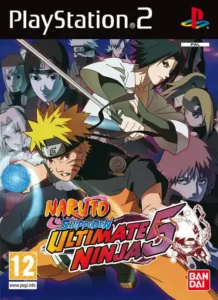
Naruto Shippuden – Ultimate Ninja 5
Join Naruto and friends in an epic RPG-fighting adventure that follows the Shippuden storyline with dynamic battles and team-based combat.
PCSX2 Performance Overview
Naruto Shippuden Ultimate Ninja 5 demonstrates excellent compatibility with PCSX2's 2026 nightly builds. Mid-range systems with dual-core processors above 2.2 GHz maintain consistent 60 FPS at 2x native resolution, while older GPU architectures like the 8600GT experience noticeable frame drops at 4x scaling (15-25 FPS during particle-heavy Ultimate Jutsu sequences). The game's assist character system and bouncing physics during air combos create brief GPU spikes that benefit from Vulkan rendering over DirectX 11 in current PCSX2 versions.
Revolutionizing the Ultimate Ninja Formula
Naruto Shippuden Ultimate Ninja 5 introduced the assist character system that fundamentally changed how CyberConnect2's PS2 fighting series played. Unlike the summon mechanics from earlier entries, this 2007 release forces you to select a support partner who can extend combos, create unique team-based Ultimate Jutsus, and shift momentum during critical health thresholds. Whether you're running this title through PCSX2 in 2026 or revisiting it on original hardware, understanding the six distinct ninja awakening types—Ultimate Jutsu, Tension, Tools, Adversity, Taunt, and Release—separates casual players from those who dominate Master Mode's toughest challenges. This guide breaks down combat mechanics that typical wikis gloss over, provides PCSX2 settings tested on current emulator builds, and reveals character-specific routing for the RPG-infused Master Mode that spans the early Shippuden arc up to Naruto's first reunion with Sasuke.
Table of Contents
- ▸ Why This Game Matters in 2026
- ▸ PCSX2 Configuration & Renderer Selection
- ▸ Assist Character System Deep-Dive
- ▸ Six Ninja Types & Awakening Conditions
- ▸ Core Combat & Directional Combo Variants
- ▸ Master Mode Walkthrough Strategy
- ▸ Complete Character Unlock Roadmap
- ▸ Team Synergy & Combo Extensions
- ▸ Common PCSX2 Issues & Fixes
- ▸ FAQ
Why This Game Matters in 2026
The Ultimate Ninja Storm series dominates modern Naruto gaming discussions, but Ultimate Ninja 5 offers mechanical depth that Storm titles streamlined away. Each character's directional combo modifiers—holding left on the D-pad to unblock opponents, up to launch for air juggles, down for ground bounces—create a risk-reward system absent from Storm's more accessible button-mashing approach. The three-tier chakra system lets fighters cycle between different Ultimate Jutsus by building meter, while the permanent assist mechanic forces constant strategic decisions about when to call support for damage extensions versus saving them for emergency reversals. PCSX2's maturation means 2026 hardware runs this title at 4K resolutions with texture filtering that wasn't possible during the game's original 2007-2009 release window, making it visually competitive with early PS3 titles.
Master Mode's RPG structure provides 8-12 hours of story content that blends exploration of iconic locations like the Hidden Leaf Village with turn-based mission selection and environmental puzzles requiring specific character abilities. Unlike Storm games' cinematic quick-time events, Ultimate Ninja 5 demands you understand character movesets to solve Byakugan detection sequences as Neji or chakra-absorption patterns with Kisame. The game covers the Kazekage Rescue and early Akatsuki encounters, stopping before the Pain arc—a narrative scope that feels focused compared to Storm 2's sprawling but sometimes rushed campaign.
PCSX2 Configuration & Renderer Selection
Current PCSX2 nightly builds (post-1.7.0 architecture used throughout 2025-2026) handle Ultimate Ninja 5 with minimal configuration adjustments. The primary technical consideration involves renderer choice: Vulkan eliminates shader compilation stutter during Ultimate Jutsu cinematics and maintains frame pacing during multi-character assist attacks, while DirectX 11 offers slightly better compatibility on Intel integrated graphics. Set internal resolution to 2x native (1280x896) for consistent 60 FPS on systems with GTX 1050 Ti-equivalent or better GPUs; 4x scaling (2560x1792) requires GTX 1660 Super-class hardware to avoid drops below 50 FPS during particle-heavy sequences like Naruto's Rasengan or Kakashi's Lightning Blade effects.
Enable "Preset 1 (Safe)" under hacks if experiencing random crashes during Master Mode's village exploration segments. Audio backend should use Cubeb for lowest latency with DualShock input—the game's substitution jutsu timing windows (approximately 8-10 frames) become inconsistent with XAudio2's higher buffer settings. Disable MTVU speedhack if character models flicker during tag-in animations; this rarely happens but surfaces on Ryzen 5000-series CPUs with aggressive core parking. Save states function reliably except during loading screens between Master Mode areas—always create manual memory card saves before entering new map zones to prevent progression loss.
Recommended Settings Table
Assist Character System Deep-Dive
The assist mechanic in Ultimate Ninja 5 functions as a mandatory partner selection screen before every match, replacing the summon scrolls from Ultimate Ninja 3 and 4. Assists activate via L1 after building a small support meter (fills passively over 15-20 seconds of active combat), causing your partner to dash onscreen with a preset attack string that varies by character. Sakura performs a two-hit punch combo that launches opponents, while Kakashi executes a quick Lightning Blade thrust with higher hitstun for juggle extensions. The critical strategic layer emerges from specific character pairings that unlock unique combination Ultimate Jutsus—selecting Naruto with Sakura as support grants access to a team super that deals 15-20% more damage than Naruto's solo Level 3 chakra Ultimate Jutsu.
Assists cannot be disabled, which fundamentally changes neutral game compared to earlier Ultimate Ninja entries. Conservative players use support calls defensively to interrupt opponent pressure strings, while aggressive fighters treat assists as combo extenders after launchers. The support meter's slow refill rate (approximately one call per 20 seconds) means wasting an assist on a blocked approach costs you a critical reversal option. Certain Master Mode missions restrict assist character choices, forcing familiarity with multiple partnerships rather than relying on one optimal duo throughout the campaign.
Six Ninja Types & Awakening Conditions
Ultimate Ninja 5 categorizes its 62-character roster (74 including transformation states) into six awakening types that dictate how fighters access powered-up modes. Understanding these classifications determines your approach to meter management and health preservation during both versus matches and Master Mode boss encounters.
Ultimate Jutsu Type (Red Marker)
The most common classification requires activating an Ultimate Jutsu to trigger awakening. Characters like base Naruto gain different transformation states depending on current health: executing a Level 3 Ultimate Jutsu at yellow health (40-60% remaining) activates one-tailed cloak mode, while the same input at green health (60%+) provides a standard stat-boosted awakening without visual transformation. This creates a resource dilemma—burning chakra meter for offense versus saving it for defensive awakening access when health drops.
Tension Type (Blue Marker)
Fighters including Neji Hyuga, Asuma Sarutobi, and Kisame activate awakening by maintaining offensive pressure. A hidden tension gauge fills through successful hit confirms and blocked attacks; once maxed, the character automatically enters awakening state without chakra expenditure. This type favors aggressive playstyles but becomes difficult to activate against defensive opponents who maintain distance.
Tools Type (Green Marker)
The rarest classification activates through repeated ninja tool usage during combos. Only specific character variants possess this type, and they integrate shuriken/kunai throws into their standard combo strings. Successfully landing 8-10 tool hits fills the awakening trigger—challenging against opponents who substitute jutsu frequently.
Adversity Type (Gray Marker)
Automatically activates when health drops to critical red levels (below 30%). This permanent awakening remains active even if you heal through items or abilities, creating comeback potential. Characters with this type receive significant stat boosts that can reverse losing matchups, but the low health requirement makes it a high-risk strategy.
Taunt Type (Orange Marker)
Requires successfully completing a taunt animation without interruption. The taunt inputs (hold up on D-pad, varies by character) leave you vulnerable for approximately 2 seconds—easily punished by aggressive opponents. Landing the taunt grants awakening plus a moderate stat boost, rewarding players who create enough space through superior neutral game.
Release Type (Bright Purple Marker)
Uses a Chakra Release Ultimate Jutsu that deals no damage but immediately triggers awakening mode. Many Release-type fighters can only perform one or two actual damaging Ultimate Jutsus because their other chakra levels are locked to awakening activation. This type offers guaranteed awakening access at the cost of reduced super damage options, making it ideal for characters whose awakened normal attacks outvalue Ultimate Jutsu burst damage.
PRO TIP: Dual-Type Exploitation
Naruto functions as both Ultimate Jutsu and Adversity type—if you reach red health before using any Ultimate Jutsu, you can stack both awakening conditions for a dramatic stat boost that combines transformation and critical-health bonuses. Tsunade and Lady Chiyo exhibit similar dual-type behavior when activating specific Ultimate Jutsu variants versus taunt-based awakenings. Experiment with these characters in Free Battle mode to understand optimal awakening sequences before attempting Master Mode's time-limited encounters.
Core Combat & Directional Combo Variants
The basic control scheme maps light attacks to Circle, heavy strikes to Square, chakra charge to Triangle, and jump/dash to X. What separates competent players from masters is understanding directional modifiers during Circle-button combo strings. Tapping Circle repeatedly performs a basic 4-5 hit chain, but holding a D-pad direction during the combo's third hit triggers specialized enders with distinct properties.
Holding LEFT during combo execution causes the final hit to break opponent guard, leaving them vulnerable to immediate follow-up pressure. This guard-break property doesn't guarantee a free hit—skilled opponents can still substitute jutsu the recovery frames—but it forces defensive players to burn their substitution stock rather than simply blocking your offense. Holding UP launches opponents skyward, enabling air juggle extensions via jump-canceled Circle strings or well-timed assist calls. The launch height varies by character; fighters like Kimimaro have specific DOWN-DOWN-Circle sequences that pop opponents perfectly for UP-UP-Circle aerial finishers into Ultimate Jutsu confirms.
Holding RIGHT during combos pushes opponents away, creating separation useful for resetting to neutral or setting up projectile zoning. DOWN directional holds slam opponents into the ground, triggering the unique bouncing physics system introduced in Ultimate Ninja 5. Ground-bounced opponents can be juggled with precise timing—the bounce window lasts approximately 12-15 frames, requiring immediate dash cancels or pre-buffered assist calls to extend combos before hitstun decay ends juggle potential.
Guard & Substitution Timing
R2 and L2 buttons activate block state, but perfectly timed guard inputs (within 6-8 frames of attack contact) trigger substitution jutsu that teleports your character behind the opponent. The substitution system uses a regenerating stock counter (maximum 4 stocks) visible beneath your health bar; stocks refill slowly during neutral gameplay but stop regenerating while blocking or taking damage. Unlike Storm games where substitution feels nearly automatic, Ultimate Ninja 5's tighter timing windows reward players who study opponent attack patterns and pre-emptively input guard commands during vulnerable recovery frames.
Master Mode Walkthrough Strategy
Master Mode blends RPG exploration with mission-based progression across multiple story arcs. The campaign divides into character-specific chapters—Naruto's segment focuses on Kazekage rescue preparations, while Sasuke's portion explores Orochimaru's hideouts in an original filler arc created for the game. Between major story beats, you navigate village hubs where NPCs offer side missions that unlock characters, grant items, and provide currency for the in-game shop.
Early-Game Priorities
Begin Master Mode by completing all available side missions in the Hidden Leaf Village before advancing the main story. Several missions involve timed challenges where you must reach specific map locations within 3-5 minute windows or defeat enemy groups with survival conditions. Accepting Mission 3 from the merchant at Training Road's fork rewards the Red Ring accessory after defeating bandits—this item boosts chakra regeneration by roughly 15%, noticeably improving your ability to spam Ultimate Jutsus during boss encounters.
The Forest of Death mission (Mission 4) requires tracking yellow waypoints and eliminating enemy spawns within three minutes. Failure resets the timer but doesn't consume items, so treat early attempts as reconnaissance runs to memorize enemy positions. Completing this mission chain unlocks Kankuro and grants access to the Sand Village hub area earlier than normal story progression would allow.
Character-Specific Puzzle Solutions
Certain Master Mode segments force you to use specific characters with unique abilities. Neji's Byakugan (activated via Triangle button) reveals hidden objects and enemy positions during stealth sections—during the Akatsuki hideout infiltration, you must activate Byakugan to locate a banner in the upper-left screen corner, then press L1 to mark it for Naruto. Kisame's chakra-absorbing sword mode (activated by holding DOWN during combos) drains enemy meter, essential for the mission requiring you to defeat Itachi without allowing him to use Ultimate Jutsus.
Chouji's giant form (hold UP during combat) and Sakura's rage mode (hold DOWN to activate) solve specific environmental obstacles like breaking reinforced doors or moving heavy objects blocking progression. The game doesn't clearly telegraph when these abilities are required, leading to common progression blocks where players wander villages looking for the next trigger—always check the pause menu's mission log for hints about required character swaps.
Itachi Encounter Strategy
The double Itachi fight represents Master Mode's first major difficulty spike. The initial battle requires defeating him with Naruto's base moveset—avoid wasting chakra on Level 1 Ultimate Jutsus and instead focus on building meter to Level 3 for maximum damage per super activation. After the cinematic transition, you rematch Itachi using Kakashi, whose Lightning Blade reversal properties (activated during opponent attack strings) can interrupt Itachi's combo pressure. Defeating both phases unlocks Itachi for Free Battle mode, though his Master Mode variant has slightly higher stats than the playable version.
Complete Character Unlock Roadmap
Ultimate Ninja 5's 62-character roster unlocks through Master Mode story completion, Free Battle requirements, and hidden side missions. The majority become available by simply progressing Master Mode's main chapters, but several fighters require specific conditions.
Story-Locked Characters
Completing Master Mode's primary narrative unlocks approximately 70% of the roster automatically. Key characters like Sasuke, Sakura, Kakashi, and early-game antagonists become selectable after their respective story chapters conclude. The game's final Master Mode mission grants access to late-arc characters including Deidara and Sasori, though their powered-up transformation states require additional unlock steps.
Side Mission Unlocks
Five Naruto clones scattered throughout Master Mode maps unlock a special character variant, but these collectibles don't appear until you've completed Sasuke's entire story segment. After finishing Sasuke's arc, revisit previous maps with Naruto and thoroughly explore all rooms—the clones appear as glowing orange objects that trigger brief collection cinematics. Missing even one clone prevents unlocking the associated reward.
Mission chains involving NPC dialogue trees unlock additional fighters. Completing Tsunade's questline (accessible after reaching Rank C missions) requires answering her questions with the first dialogue option in every conversation, then defeating her in a 30-second time attack. Success unlocks her playable form plus grants access to higher-difficulty mission tiers.
Free Battle Requirements
Certain characters require accumulating victories in Free Battle mode against CPU opponents. The game tracks your total win count across all Free Battle sessions; reaching thresholds like 25, 50, and 100 wins progressively unlocks hidden fighters. This system incentivizes experimenting with different characters rather than grinding wins with a single main, though no in-game counter displays current progress toward unlock thresholds—track wins manually or check the character select screen's lock icons for hints.
Team Synergy & Combo Extensions
Optimal team construction pairs main fighters with assists that complement their combo structure. Characters with strong launcher properties benefit from assists that hit multiple times during air juggles, extending combo duration before hitstun decay forces opponent reset. Sakura's assist provides exactly this function—her two-hit punch sequence keeps opponents suspended long enough for main fighters to dash-cancel into additional aerial strings.
Team Ultimate Jutsu Optimization
Specific character pairings unlock unique combination Ultimate Jutsus that replace standard solo supers. These team attacks typically deal 15-25% more total damage than the equivalent solo Level 3 Ultimate Jutsu, but they consume both your chakra meter and your assist availability for 20+ seconds. The trade-off favors team supers during round-ending scenarios where burst damage matters more than sustained pressure, but solo Ultimate Jutsus remain superior in longer matches where you'll need multiple super activations.
Experiment with thematically linked characters to discover team jutsu combinations—Naruto/Sakura, Kakashi/Guy, and Shikamaru/Choji all possess documented team attacks, but the game doesn't explicitly list which pairings trigger unique supers. The character select screen provides no indication of synergy potential, forcing trial-and-error testing in Free Battle mode.
Directional Combo Routing
Advanced players chain directional modifiers into extended sequences that loop opponents through multiple combo states. Kimimaro's DOWN-DOWN-Circle starter pops opponents at a specific height; immediately following with UP-UP-Circle catches them during the ascent, enabling a grounded Circle string reset or direct cancel into Level 2 Ultimate Jutsu. The timing window spans approximately 8-10 frames between the ground bounce and aerial follow-up, requiring practice mode repetition to internalize the rhythm.
Characters with fast dash speeds can extend standard combos through manual resets—after a RIGHT directional push-back ender, dash forward and restart a Circle combo string before the opponent recovers from hitstun. This technique demands precise spacing since dashing too early causes your second combo attempt to whiff, while delaying the dash input allows the opponent to block or substitute. Training mode doesn't include frame data displays, so developing this skill relies on visual cues like opponent recovery animations and hitstun spark effects.
Common PCSX2 Issues & Fixes
Audio Desync During Ultimate Jutsus
If voice lines and sound effects misalign during cinematic Ultimate Jutsu sequences, switch audio backend from XAudio2 to Cubeb in PCSX2's SPU2 settings. This issue surfaces primarily on Windows 11 systems with Realtek audio drivers; updating to the latest Realtek Universal Audio Driver (UAD) version resolves most cases. Alternatively, enabling "Use Audio Timestretching" in SPU2 settings forces audio synchronization at the cost of minor pitch warping during frame drops.
Character Model Flickering
Flickering textures during assist character tag-ins indicate MTVU speedhack conflicts. Disable MTVU under Config > Emulation Settings > Speedhacks. If disabling MTVU causes performance drops below 60 FPS, enable "Instant VU1" as a compensation—this maintains most of MTVU's speed benefits without the graphical corruption on Ryzen 5000/7000-series CPUs.
Save State Corruption
Creating save states during Master Mode area transitions (recognizable by black loading screens) can corrupt progression flags, preventing story advancement. Always use manual memory card saves (accessible via in-game pause menu) before entering new village zones or story missions. If you've already corrupted a save state, revert to the most recent uncorrupted manual save—PCSX2 maintains separate save state and memory card data, so memory card backups remain unaffected by save state issues.
Performance Drops During Particle Effects
Rasengan and Chidori Ultimate Jutsus generate dense particle effects that stress older GPUs. Reducing internal resolution from 4x to 3x native eliminates most slowdown while maintaining visual quality significantly above original PS2 output. Users with GTX 900-series or older cards should cap internal resolution at 2x native and enable "Align Sprite" hack under Config > Graphics Settings > HW Hacks to reduce texture flickering during these sequences.
Input Latency on Wireless Controllers
Substitution jutsu timing becomes inconsistent with Bluetooth controller latency exceeding 8ms. Wired DualShock 4 or Xbox controllers via USB eliminate this variable; if wireless use is mandatory, disable "Steam Input" in Steam's controller settings when running PCSX2 through Steam's library—Steam Input adds an additional 4-8ms processing layer that compounds Bluetooth latency.
Frequently Asked Questions
What are the best PCSX2 settings for Naruto Shippuden Ultimate Ninja 5 in 2026?
Use Vulkan renderer with 2x native internal resolution for mid-range GPUs (GTX 1050 Ti equivalent or better). Disable MTVU speedhack to prevent character model flickering on Ryzen CPUs, and set audio backend to Cubeb for lowest input latency. Enable Preset 1 Safe hacks if experiencing random crashes during Master Mode village exploration. Systems with GTX 1660 Super or higher can run 4x native resolution while maintaining 60 FPS except during particle-heavy Ultimate Jutsu sequences.
How do I unlock all characters in Naruto Ultimate Ninja 5?
Approximately 70% of the roster unlocks automatically by completing Master Mode's main story chapters. Additional characters require finishing specific side missions, collecting five hidden Naruto clones that only appear after completing Sasuke's story segment, and accumulating Free Battle victories at thresholds of 25, 50, and 100 wins. Key unlocks like Itachi require defeating him in both story encounters during Master Mode progression.
What's the difference between the six ninja awakening types?
Ultimate Ninja 5 categorizes characters into six awakening types: Ultimate Jutsu (red, requires using super to awaken), Tension (blue, fills through offensive pressure), Tools (green, activates via ninja tool hits), Adversity (gray, auto-triggers at critical health), Taunt (orange, requires successful taunt animation), and Release (purple, uses non-damaging chakra release jutsu). Each type demands different playstyle approaches and meter management strategies.
How does the assist character system work?
Assists are mandatory support partners selected before matches that activate via L1 button after building a support meter over 15-20 seconds. Each assist performs a unique attack string (Sakura does two-hit launcher, Kakashi performs Lightning Blade thrust). Specific character pairings unlock team combination Ultimate Jutsus that deal 15-25% more damage than solo supers. The system cannot be disabled and replaces the summon mechanics from earlier Ultimate Ninja games.
What do the directional combo modifiers do?
Holding D-pad directions during Circle-button combos changes the final hit properties: LEFT breaks opponent guard, UP launches for air juggles, RIGHT pushes away for spacing, and DOWN slams into ground bounce state. These modifiers enable combo extensions and strategic positioning. Characters like Kimimaro have specific sequences (DOWN-DOWN-Circle into UP-UP-Circle) that create optimal juggle states for Ultimate Jutsu confirms.
Why does my game crash during Master Mode area transitions?
Creating save states during loading screens between Master Mode zones can corrupt progression flags. Always use manual memory card saves (accessible via pause menu) before entering new village areas or story missions. If crashes persist, enable Preset 1 Safe under PCSX2's hack settings, and ensure you're running a current nightly build post-1.7.0 architecture.
How do I fix audio desync during Ultimate Jutsu cinematics?
Switch audio backend from XAudio2 to Cubeb in PCSX2's SPU2 settings. This issue occurs primarily on Windows 11 with Realtek drivers—update to the latest Realtek UAD driver version. Enabling Use Audio Timestretching in SPU2 settings forces synchronization with minor pitch warping during frame drops as an alternative fix.
What are team Ultimate Jutsus and how do I activate them?
Team Ultimate Jutsus are unique combination attacks that trigger when specific character pairings use Ultimate Jutsu with full assist meter available. Examples include Naruto paired with Sakura, or Kakashi with Guy. These deal 15-25% more damage than standard solo Level 3 Ultimate Jutsus but consume both chakra meter and assist availability. The game doesn't explicitly list synergies—experiment with thematically linked characters in Free Battle mode.
How do I complete the Byakugan puzzle in Master Mode?
During Akatsuki hideout infiltration sections, activate Neji's Byakugan by pressing Triangle, then locate the banner object in the upper-left corner of the screen. Press L1 to mark it for Naruto. This puzzle requires switching to Neji specifically—other characters cannot reveal the hidden banner. Similar character-specific puzzles include Kisame's chakra-absorption sword for anti-jutsu missions.
What's the best strategy for defeating Itachi in Master Mode?
The double Itachi fight requires first defeating him using Naruto, then rematching with Kakashi. During the Naruto phase, save chakra meter for Level 3 Ultimate Jutsus rather than spamming weaker Level 1 supers. In the Kakashi rematch, use Lightning Blade reversal properties (activated during Itachi's attack strings) to interrupt his combo pressure. Successfully clearing both phases unlocks Itachi for Free Battle mode.
Why does my FPS drop during Rasengan and Chidori Ultimate Jutsus?
Dense particle effects in these Ultimate Jutsus stress older GPUs like GTX 8600GT which drops to 15-25 FPS at 4x native resolution. Reduce internal resolution from 4x to 3x or 2x native. Enable Align Sprite hack under Graphics Settings HW Hacks to reduce texture flickering. GTX 1660 Super or better handles 4x resolution without drops except during the most particle-dense moments.
How do I unlock the special character from collecting Naruto clones?
Five Naruto clones appear scattered throughout Master Mode maps, but only become visible after completing Sasuke's entire story arc. Return to previously explored areas with Naruto and thoroughly check all rooms for glowing orange collectible objects. Missing even one clone prevents unlocking the associated reward character. The game doesn't track collection progress, so manually note which zones you've cleared.
Mastering the Shippuden Era
Naruto Shippuden Ultimate Ninja 5 rewards the time investment required to understand its layered systems—awakening type strategies, directional combo routing, and assist synergy create competitive depth that modern Storm titles traded for accessibility. PCSX2's current emulation accuracy means 2026 represents the ideal time to experience this title with visual enhancements and performance stability that original hardware couldn't provide. Whether you're pursuing 100% Master Mode completion, discovering optimal team compositions for Free Battle domination, or simply experiencing the Kazekage Rescue arc through CyberConnect2's pre-Storm mechanical design philosophy, this guide provides the foundation for mastery. Challenge yourself with Adversity-type characters that demand health management precision, or experiment with Release-type fighters whose awakening-focused gameplan flips traditional fighting game resource allocation. The Ultimate Ninja 5 community remains active in speedrunning and challenge-run circles—consider sharing your optimal Master Mode routing discoveries or character-specific combo breakthroughs with fellow players keeping this 2007 classic alive.